Connect your account
-
Start the daemon and leave it running.
Terminal window wx serve -
Log in from a second terminal.
Works on every platform. agent-wechat creates a fresh WeChat profile in its own data folder.
Terminal window wx accounts create --alias mewx auth loginKeeps your chat history by using WeChat for Linux’s files where they are. Quit WeChat and back them up first:
Terminal window tar -czf ~/wechat-profile-backup.tgz -C ~ xwechat_files .xwechatwx auth login --official--officiallooks in your home directory. If the files are elsewhere, pass the folder that contains them:--official=/path/to/home.Scan the QR code with WeChat on your phone. When the terminal says it is waiting for confirmation, approve the login in WeChat.
With
wx --json auth login, the waiting notice is a JSON line on stderr withevent: "login.progress"andstate: "awaiting_approval". Read the final operation result as a single JSON document on stdout.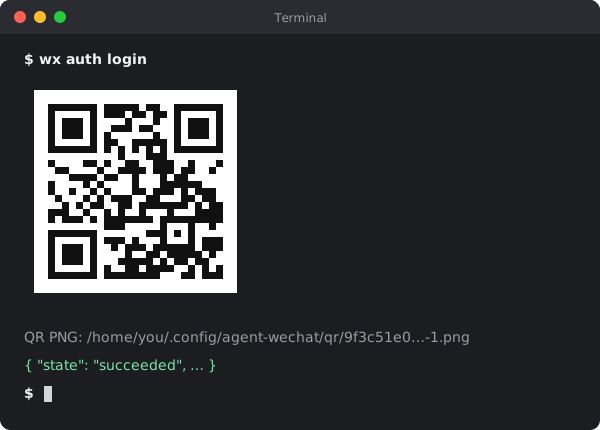
-
Check it worked.
Terminal window wx messages list filehelper --limit 1{"items": [{"id": "msg_eyJkYXRhYmFzZSI6Im1lc3NhZ2UvbWVzc2FnZV8wLmRi…","threadId": "filehelper","direction": "outgoing","type": 1,"body": "notes for Monday","createdAt": "2026-10-21T09:14:03+00:00"}],"nextCursor": "…"}
You’re connected. Next: keep it running in the background, then use it from the CLI, OpenClaw or your own code.
Sign out or remove a profile
List profiles with wx accounts list. Use the account ID from that response:
wx --account ACCOUNT_ID auth loginwx --account ACCOUNT_ID auth logoutUse wx --account ACCOUNT_ID auth logout --local to sign out on the daemon and keep saved credentials without sending a logout request to WeChat. Both forms stop automatic reconnection.
After sign-out completes, remove the profile from the hub by repeating its exact ID:
wx accounts remove ACCOUNT_ID --confirm ACCOUNT_ID{ "accountId": "ACCOUNT_ID", "removed": true, "filesRetained": true }Removal unregisters the profile and keeps its local files. wx auth forget --yes is a separate action that forgets saved sign-in credentials; it does not remove the profile.